


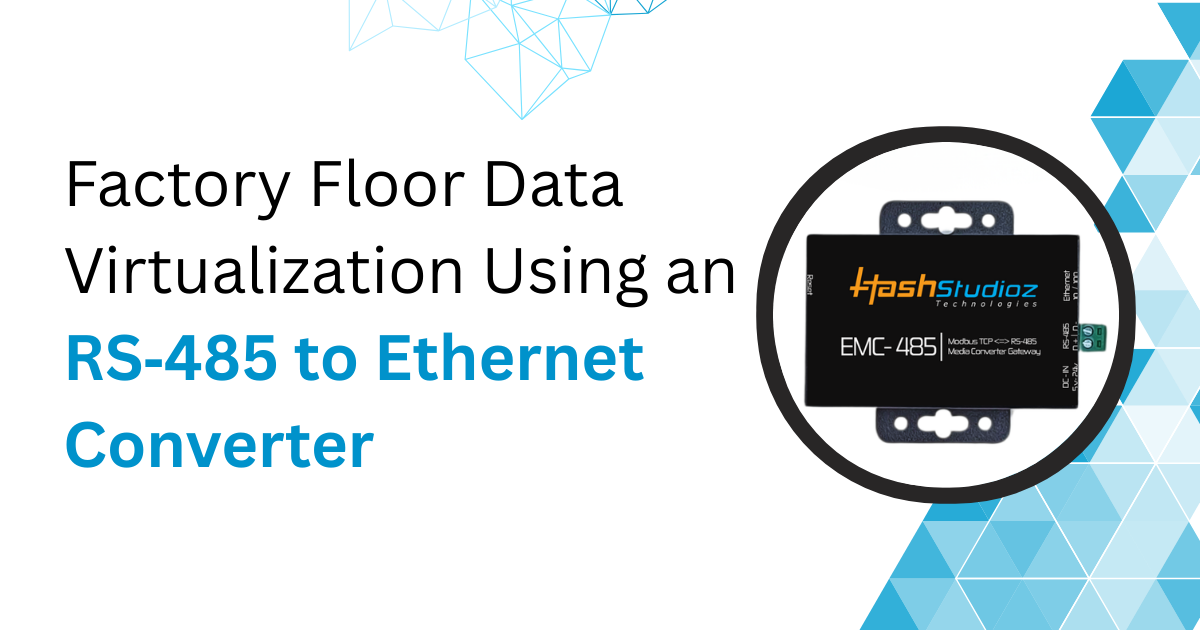
Factory automation and data flow are central to modern manufacturing. Machines, sensors, and controllers produce large volumes of operational data. But legacy industrial devices often use RS‑485 serial communication. Meanwhile, enterprise systems and data platforms use Ethernet. Bridging these two networks becomes crucial. An RS‑485 to Ethernet Converter or RS‑485 to LAN Converter helps solve this problem.This article explains how these devices work, why data virtualization matters on the factory floor, and how to implement solutions using RS‑485 to Ethernet conversion. We also compare benefits, challenges, and real world use cases.
What Is Factory Floor Data Virtualization?
Data virtualization means giving software access to data without having to physically move it. In manufacturing, this means:
-
Reading real‑time data from machines
-
Sharing that data with analytics systems
-
Doing it without storing multiple data copies
Virtualized data provides a single view of production metrics. It supports predictive maintenance, quality control, and performance monitoring.
Virtualization does not replace databases. It provides a layer that connects data sources to applications.
Why RS‑485 Still Matters in Industry
RS‑485 is a communication standard used in industrial systems for decades. It supports long cable runs and robust noise immunity. Many sensors, motor drives, and controllers still use RS‑485 because:
-
It supports half‑duplex communication
-
It allows up to 32 devices on one bus
-
It tolerates electrical noise common in factories
For many companies, replacing all RS‑485 devices with modern Ethernet devices is too costly. Hence, conversion remains necessary.
Challenges with Direct RS‑485 Integration
Direct integration of RS‑485 devices into modern systems is difficult:
-
No native IP support: RS‑485 transmits serial data. Enterprise systems expect TCP/IP over Ethernet.
-
Limited scalability: RS‑485 supports a small number of nodes. Ethernet supports hundreds.
-
Protocol differences: RS‑485 devices use protocols like Modbus RTU. Enterprise applications use Modbus TCP or OPC UA.
-
Data accessibility: A controller that speaks only RS‑485 cannot send data to cloud applications.
What Is an RS‑485 to Ethernet Converter?
An RS‑485 to Ethernet Converter adapts serial signals to Ethernet. It connects an RS‑485 network to a LAN or industrial Ethernet. A converter:
-
Connects to RS‑485 wires on one side
-
Connects to Ethernet on the other side
-
Translates serial data to packet‑based TCP/IP
-
Maintains electrical and protocol compatibility
These converters are also called RS‑485 to LAN Converters. They allow legacy devices to appear as networked devices.
How RS‑485 to Ethernet Converters Work
1. Hardware Components
A typical RS‑485 to Ethernet Converter includes:
-
A microcontroller or processor
-
RS‑485 interface with differential transceivers
-
Ethernet port with PHY
-
Power supply (often 12–24 V)
Some models offer multiple RS‑485 ports. This allows one converter to connect several devices.
2. Protocol Conversion
Converters handle conversion in two ways:
-
Transparent Mode: The device forwards serial data to Ethernet without analyzing content. The host must interpret everything.
-
Protocol Mode: The converter understands common protocols like Modbus. It can translate Modbus RTU to Modbus TCP.
Protocol mode reduces load on host systems. It also simplifies configuration.
3. IP Configurations
Converters can support:
-
Static IP
-
DHCP
-
VLAN tagging
This flexibility allows easy integration into existing networks.
Why Use RS‑485 to Ethernet Converters for Data Virtualization
The benefits are practical and measurable.
1. Increased Data Visibility
Manufacturing companies report up to 30% increase in actionable data access after deploying network bridges between shop floor and enterprise systems. This visibility helps identify:
-
Machine downtime trends
-
Sensor drift before failures
-
Throughput bottlenecks
2. Cost Savings
Replacing legacy sensors with new Ethernet‑enabled devices can cost 3–5 times more than using converters. Many companies save up to 60% in system modernization costs by using converters first.
3. Faster Deployment
Installing an RS‑485 to LAN Converter is simpler than replacing all machines:
-
No need to modify machine firmware
-
No cable relocation
-
Minimal downtime
A typical integration can complete within a few hours.
4. Compatibility
Converters support standards that make data usable by modern systems. Examples include:
-
Modbus RTU to Modbus TCP
-
Serial raw frames over TCP sockets
-
UDP for broadcast systems
Real‑World Use Cases
1. Smart Maintenance
A large automotive plant has 100 conveyor motors using RS‑485 sensors. Maintenance teams want real‑time vibration and temperature data.
Without conversion:
-
Data is stored locally
-
Technicians check metrics manually
-
No central analytics
With converters:
-
Each RS‑485 line goes into a converter
-
Data flows to a central server
-
Predictive maintenance platform analyzes trends
In this case, unplanned downtime dropped by 22% in one year.
2. Quality Assurance
A packaging line has RS‑485 pressure sensors. The quality team needs data for statistical analysis.
Converting data to Ethernet and storing it in a database gave:
-
Real‑time dashboards
-
Alerts when thresholds reached
-
Correlation with production batches
This reduced waste by 18% in the first quarter.
How to Choose the Right Converter
Selecting an RS‑485 to Ethernet Converter depends on several factors.
1. Number of Ports
A converter might have:
-
Single RS‑485 port
-
Multiple ports (2, 4, or 8)
Choose based on device count. Larger systems may benefit from converters with more ports.
2. Protocol Support
If all devices use simple serial streams, transparent mode works. For protocol translation:
-
Ensure Modbus RTU to TCP support
-
Check for OPC UA gateways if needed
3. Industrial Standards
Converters often differ in ruggedness:
-
DIN‑rail mount
-
Industrial temperature ranges (–40 to 85°C)
-
Isolation protection for noisy environments
These features matter in heavy industry.
4. Security
Ethernet networking introduces cyber risk. Look for:
-
Password protection
-
HTTPS or SSH for configuration
-
Firewall rules on converters
Secure configurations help protect factory networks.
Implementation Steps
A reliable implementation follows these steps:
1. Inventory Devices
List all RS‑485 devices:
-
Model types
-
Protocols used
-
Cable lengths
This helps determine converter needs.
2. Network Planning
Decide whether the RS‑485 network connects to:
-
An existing LAN
-
A separate industrial network
-
A DMZ for security
Plan IP assignments early.
3. Converter Installation
Mount the converters near device clusters. Connect:
-
RS‑485 A/B wires
-
Ethernet cable
-
Power
4. Configuration
Configure each converter:
-
Assign IP address
-
Set baud rate and parity for RS‑485
-
Choose protocol mode
Some converters allow batch configuration over Ethernet.
5. Data Integration
Connect conversion outputs to data systems:
-
SCADA
-
MES
-
Data historian
-
Cloud analytics
Use software drivers that support Modbus TCP or OPC UA.
6. Testing
Verify:
-
Data integrity
-
Response times
-
Error rates
Test with typical and peak loads.
Performance Considerations
1. Latency
Converters add minimal delay. Typical conversion latency is under 5 ms. In real time systems, total network latency depends on:
-
Ethernet switch hops
-
Data rate of RS‑485
-
Traffic load
Keep converter settings tuned to expected data volume.
2. Throughput
RS‑485 speeds max at 115200 bps in many devices. Ethernet supports 100 Mbps or more. Do not assume Ethernet speeds for RS‑485 networks. The converter won’t increase RS‑485 link performance.
3. Error Handling
Look for converters that offer:
-
CRC checks
-
Timeout settings
-
Retry support
Good error handling improves data reliability.
Security Risks and Mitigation
Ethernet connectivity exposes legacy serial devices.
Risks
-
Unauthorized access
-
Injection of false data
-
Denial of service
Mitigations
-
Place converters behind firewalls
-
Use VLANs to isolate industrial traffic
-
Enable authentication and encryption
A security review before deployment reduces exposure.
Insights from Industry Adoption
Studies indicate that:
-
65% of manufacturers keep legacy serial devices while adding Ethernet layers.
-
48% of plants integrate RS‑485 sensors with IIoT systems.
-
Companies using converter‑based integration reported 15–30% improvement in data usage efficiency.
These figures show that converters play a key role in transitional factory floor networks.
Common Mistakes to Avoid
-
Ignoring network security: Many teams treat converters as simple devices. They forget to configure security.
-
Mismatched protocols: Not all converters translate all serial protocols. Confirm support before purchase.
-
Overlooking power requirements: Industrial power supplies vary. Check voltage tolerance.
-
Not planning IP schema: Random IP assignment creates conflicts and makes troubleshooting hard.
Future of Factory Communication
Industry is moving toward IIoT and smart systems. However, RS‑485 devices will remain for years. Converters help extend useful life. They allow older systems to work with:
-
Cloud analytics
-
Predictive maintenance
-
Unified dashboards
Enterprise systems gain data without rip‑and‑replace projects.
Conclusion
An RS‑485 to Ethernet Converter or RS‑485 to LAN Converter is a critical component for modern factory data systems. It bridges legacy equipment to networked infrastructure. This enables:
-
Real‑time data access
-
Remote monitoring
-
Scalable network growth
These converters reduce cost, accelerate integration, and support broader digital strategies. When chosen and configured correctly, they bring real value to manufacturing operations.

 English